
Virtual Queuing Explained and How to Set One Up Fast
Learn how virtual queuing works and get a fast setup guide covering SMS alerts, QR codes, and cloud tools that cut wait times and reduce lobby crowding.

Justin Britten
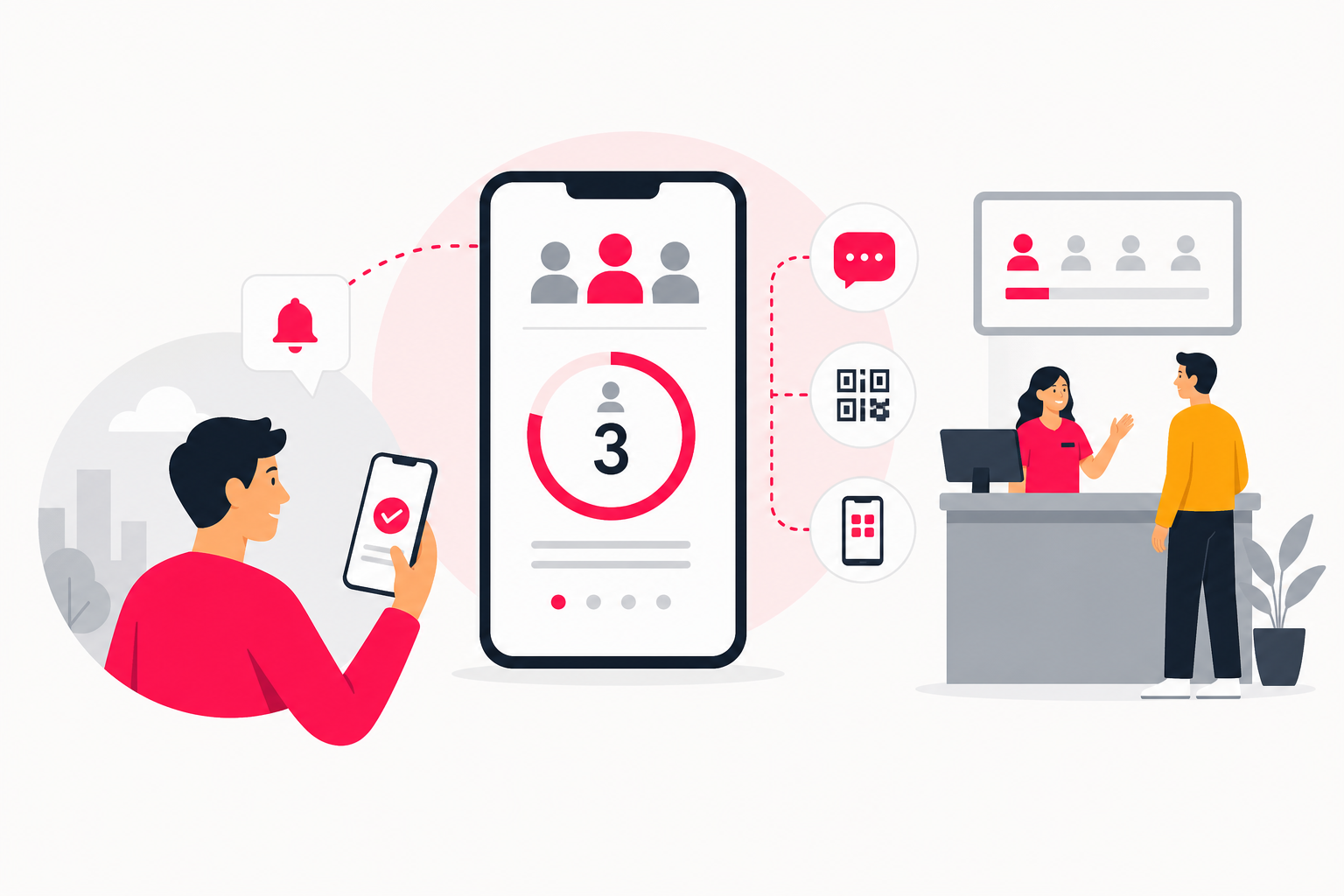
Virtual queuing replaces a physical line with a digital placeholder, delivered by SMS, QR code, or app, so customers wait wherever they like and return only when it is their turn. It cuts perceived wait time, reduces lobby crowding, and gives businesses real-time visibility into demand. Cloud-based tools have brought setup within reach of most businesses without a dedicated IT team.
Here is what this guide covers:
- What virtual queuing is and how it differs from traditional lines and appointment systems
- The key business benefits, backed by research
- How the customer journey works end to end
- A step-by-step setup sequence for cloud-based tools
- SMS vs. app-based notifications: which channel fits your situation
- When a viral waitlist is the right tool instead
What Is Virtual Queuing?
Virtual queuing is a system that holds a customer's place in line digitally, without requiring them to stand in a physical queue. Instead of waiting in a lobby or at a counter, customers join a queue through a QR code, SMS link, kiosk, or website, then receive updates on their position and an alert when it is their turn.
The core difference from a traditional line is presence. In a physical queue, you must stay put or lose your spot. In a virtual queue, you can sit in your car, browse a nearby store, or grab a coffee while the system tracks your position and calls you back at the right moment.
Virtual queuing is also distinct from appointment scheduling. An appointment system requires customers to book a specific time slot in advance. Virtual queuing handles walk-in demand in real time, assigning positions dynamically as people arrive. Some businesses combine both: appointments fill structured slots, while a virtual queue absorbs walk-ins around them.
Common settings include retail stores, healthcare clinics, government offices, and theme parks. Cloud-based tools have brought the technology within reach of single-location small businesses, not just large enterprises.
LineMarshal reported that customers are willing to tolerate waits that are 36% longer when they can see their position in a queue. That single shift, from blind waiting to informed waiting, is what makes virtual queuing effective. Queberry reported that digital queuing reduces perceived wait time by 35%. Both figures come from vendor-reported studies, so treat them as directional rather than definitive, but the direction is consistent: visibility reduces frustration.
Key Benefits of Virtual Queuing for Your Business
Virtual queuing delivers measurable gains across customer experience, operations, and revenue. Here are the most concrete reasons to consider it.
Reduced lobby congestion. Customers spread out instead of clustering at a single point. This matters in healthcare settings for infection control, in retail for comfort, and in any business where a crowded entrance discourages walk-ins.
Lower perceived wait time. As LineMarshal reported, customers tolerate waits 36% longer when they can track their position. Queberry's data puts the reduction in perceived wait time at 35%. Customers who feel informed are less likely to leave before being served.
Real-time demand data. A virtual queuing system logs arrival rates, service times, and peak hours automatically. You can use that data to adjust staffing before a bottleneck forms, not after.
Higher revenue per visit. Customers free to browse or shop nearby while they wait spend more time in your ecosystem rather than standing idle.
Broad adoption. Virtual queuing has spread across retail, healthcare, hospitality, and government, not just theme parks. According to Dataintelo's 2026 report, the global virtual queue management system market is expected to grow from $3.8 billion in 2025 to $8.9 billion by 2034.
Use cases by industry:
- Retail: Manage fitting room lines, customer service desks, and curbside pickup
- Healthcare: Reduce waiting room crowding at clinics and pharmacies
- Government offices: Handle walk-in demand at DMVs, permit offices, and social services
- Theme parks: Let guests enjoy the park instead of standing in ride lines
- Restaurants: Replace pager systems with SMS-based waitlists
The next section walks through exactly how the customer experience works from the moment someone joins the queue.
How Does Virtual Queuing Work? A Step-by-Step Look
From the customer's point of view, the process is straightforward. Here is the end-to-end journey:
- Join the queue. The customer scans a QR code at the entrance, sends a text to a shortcode, visits a URL, or taps a kiosk screen. A Juniper Research report cited by ScanQueue found that more than 2.2 billion people used QR codes globally for check-ins and transactions in 2025. A separate Statista survey found that 89% of consumers feel comfortable using their phone cameras to scan QR codes. Entry friction is low for most customers.
- Receive a confirmation. The system immediately sends a confirmation via SMS or browser notification showing the customer's queue position and an estimated wait time.
- Wait freely. The customer leaves the immediate area. They can sit in their car, visit another part of the building, or step outside. Their position is held.
- Get real-time updates. As the queue moves, the system sends progress notifications. Most platforms update customers when they are a set number of positions away, such as two spots ahead.
- Receive the call-back. When it is the customer's turn, they get a final alert with a short window to return, typically two to five minutes. If they do not return in time, the system can skip them or move them to the back of the queue, depending on your configuration.
- Check in and be served. The customer shows their confirmation to staff or scans in at a kiosk, and service begins.
Staff see the same queue on their dashboard in real time. They can mark customers as served, flag no-shows, and adjust estimated wait times manually if a service takes longer than expected. The next section covers how to build this system for your own business.
How to Set Up a Virtual Queuing System Fast
Setting up a virtual queue does not require a dedicated IT team or weeks of planning. Most cloud-based tools let you go from zero to live in a single afternoon if you work through the key decisions in order.
- Choose your deployment model. Cloud-based software-as-a-service (SaaS) is the right starting point for most businesses [S1]. You access the system through a browser, pay a subscription, and skip server setup entirely. On-premise installations exist for organizations with strict data-residency requirements, but they add cost and setup time that most small and mid-size businesses do not need.
- Map your service points. Before you configure anything, list every location where customers currently wait: a front desk, a service counter, a fitting room entrance. Each service point becomes a queue in your system. A single-location coffee shop might have one queue; a multi-branch clinic might have one per location. Getting this right upfront prevents rework later.
- Select your tool. Two cloud-based options cover most needs. Qmatic Mobile Ticket issues digital tickets and sends real-time status updates via SMS or web browser. It includes geofencing, one-time password (OTP) authentication, and automated post-service feedback forms, and it integrates with Microsoft Teams and Zoom for businesses that blend in-person and virtual service. Queue-it focuses on online traffic control, placing website visitors in a virtual queue to prevent crashes during high-demand events like ticket sales or product drops. It is built for digital surges rather than walk-in foot traffic. Choose based on whether your queue problem is physical (in-person walk-ins) or digital (website demand spikes). Contact each vendor directly for pricing details.
- Configure your notification channel. Decide whether customers will receive updates by SMS, browser notification, or a combination. SMS reaches customers without requiring an app download. Browser notifications work well when customers join through a URL or kiosk. The next section covers this decision in detail.
- Set your queue rules. Define how long a customer has to return when called (two to five minutes is standard), what happens to no-shows (skip or move to the back), and whether you want a maximum queue capacity. Also configure your estimated wait time display: showing a time range rather than a single number reduces complaints when service runs long.
- Brief your staff. The system only works if staff mark customers as served in real time. Run a 15-minute walkthrough covering how to open the dashboard, serve the next customer, flag a no-show, and manually adjust wait times. Print a one-page cheat sheet and post it at each service point.
- Run a test before going live. Have two or three people join the queue from their phones and walk through the full experience. Check that confirmations arrive within 30 seconds, that position updates fire correctly, and that the staff dashboard reflects changes immediately. Fix any gaps before opening to real customers.
Once you go live, review your queue data after the first two weeks. Look at peak arrival times, average service duration, and no-show rates. Use that data to adjust staffing schedules and queue rules before problems compound.
What Is the Best Free Virtual Queuing App for Small Businesses?
Free virtual queuing options exist, but they come with real trade-offs worth understanding before you commit.
Most free tiers cap the number of queues, daily check-ins, or SMS notifications you can send. A small business with light foot traffic, say a boutique or a single-service clinic with fewer than 50 customers per day, can often run entirely within a free tier. Cross those thresholds and you either upgrade or start managing overflow manually.
Qmatic Mobile Ticket is a widely used platform in the space. According to Dataintelo's 2026 report, Qmatic Corporation holds an 18.5% market share in the virtual queue management sector as of 2025. Contact Qmatic directly to find out what access costs for your business size.
Queue-it is a strong fit if your queuing problem is digital rather than physical, managing website traffic during a product launch or ticket sale, for example. Contact Queue-it directly for pricing details.
For small businesses evaluating free virtual queuing options, the practical checklist is short:
- Does the free tier cover your daily check-in volume?
- Does it support SMS notifications, or only in-app alerts?
- Can you add a second service point without paying?
- Is there a setup fee or a minimum contract?
Check what the next paid tier costs before you build your workflow around a specific tool. Switching platforms after staff are trained is more disruptive than paying a modest monthly fee from the start.
SMS vs. App-Based Virtual Queuing: Which Notification Channel Is Right for You?
SMS and app-based notifications each have a distinct profile. The right choice depends on your customers' tech comfort, your setup resources, and how much friction you can afford at the point of entry.
A Statista survey cited by ScanQueue found that 89% of consumers feel comfortable scanning QR codes with their phone cameras, and more than 2.2 billion people used QR codes for check-ins and transactions in 2025. That adoption makes SMS-linked QR codes a low-friction entry point for most businesses.
Here is how the two channels compare:
Factor | SMS | App-Based |
|---|---|---|
Customer setup required | None | App download |
Device compatibility | Any mobile phone | Smartphone only |
Reach | Near-universal | Limited to app users |
Setup complexity for business | Low | Medium to high |
Ongoing cost | Per-message fees may apply | Usually included in platform fee |
Rich notifications (maps, images) | No | Yes |
Works without internet | Yes (basic SMS) | No |
The short answer: SMS wins on reach and simplicity. If your customers include older adults, infrequent visitors, or anyone unlikely to download a dedicated app, SMS is the safer default. App-based notifications make sense when you already have an established app with an active user base, or when you need richer features like in-app maps or loyalty integration.
A hybrid approach works well in practice: offer QR-to-SMS as the default entry method, and let customers who have your app receive push notifications instead. Most platforms that support both channels handle the routing automatically.
When a Viral Waitlist Is a Better Fit Than a Virtual Queue
Virtual queuing solves an operational problem: managing real-time demand at a physical or digital service point. A viral waitlist solves a different problem: building an audience before your product exists.
If you are a startup preparing to launch, you do not have walk-in customers to manage. You have interested people who need a reason to sign up and a reason to tell their friends. That is a pre-launch marketing challenge, not a queue management challenge.
Prefinery is a viral waitlist and pre-launch referral platform that assigns each new signup a unique referral link, then rewards them for inviting others with either prizes or a better queue position. You set up a branded signup form, configure your reward rules, and track growth through built-in analytics. It is designed specifically for pre-launch campaigns, helping teams validate demand and grow an audience before their product ships.
For a deeper look at viral waitlist strategy, see the pre-launch viral waitlist guide.
Prices and plan limits verified as of October 2026.
FAQs
How do virtual queues work at theme parks?
Theme parks use virtual queuing to let guests join a ride queue remotely, typically through a park app or a QR code at the ride entrance. The guest receives a return window, such as 2:15 to 2:45 PM, and spends that time elsewhere in the park. When their window opens, they enter a much shorter physical line. The system manages capacity in real time and adjusts return windows based on current wait times.
Is Queue-it first come, first served?
Queue-it is designed to manage high-demand online events like ticket drops or limited product releases. Check Queue-it's documentation for details on how it orders visitors and whether priority access options are available.
How do I jump a virtual queue?
Most virtual queuing systems are designed to prevent queue jumping. Your position is tied to a unique token sent to your phone number or device, so you cannot transfer it or duplicate it. Some platforms do allow priority upgrades, either through a paid fast-pass option or through loyalty status. Outside of those official mechanisms, there is no reliable way to move ahead, and attempting to rejoin as a new entry typically places you at the back.
Can virtual queuing work across multiple branch locations?
Yes. Cloud-based platforms like Qmatic Mobile Ticket support multi-location deployments, where each branch runs its own queue while a central dashboard gives managers visibility across all sites. Check each platform's documentation for specifics on entry point configuration and what staff versus administrators can see.
What hardware do I need to run a virtual queuing system?
For most cloud-based setups, the hardware requirement is minimal. Customers join via their own smartphones using a QR code or SMS link, so you do not need to provide devices to them. Staff need a tablet, computer, or smartphone to access the queue dashboard. If you want a self-service kiosk at the entrance, you can add a tablet on a stand, but it is optional. A reliable internet connection at each service point is the only non-negotiable requirement.
Conclusion
Virtual queuing replaces physical lines with a digital placeholder, giving customers the freedom to wait on their own terms while giving your business real-time visibility into demand. Vendor-reported studies point consistently in one direction: customers who can see their position wait longer without frustration, and perceived wait times drop meaningfully when a digital system is in place.
To get started, map your service points, pick a cloud-based tool that matches your queue type (in-person walk-ins or online traffic surges), choose SMS as your default notification channel, and run a small test before opening to real customers. If you are a startup without a live product, a viral waitlist built around referral incentives is the more relevant starting point than a queue management platform.