
K-Factor Calculation: A Simple Formula for Waitlist Growth
Master k-factor calculation with the exact formula, a worked example, and step-by-step guidance to measure and grow your waitlist virally today.

Justin Britten
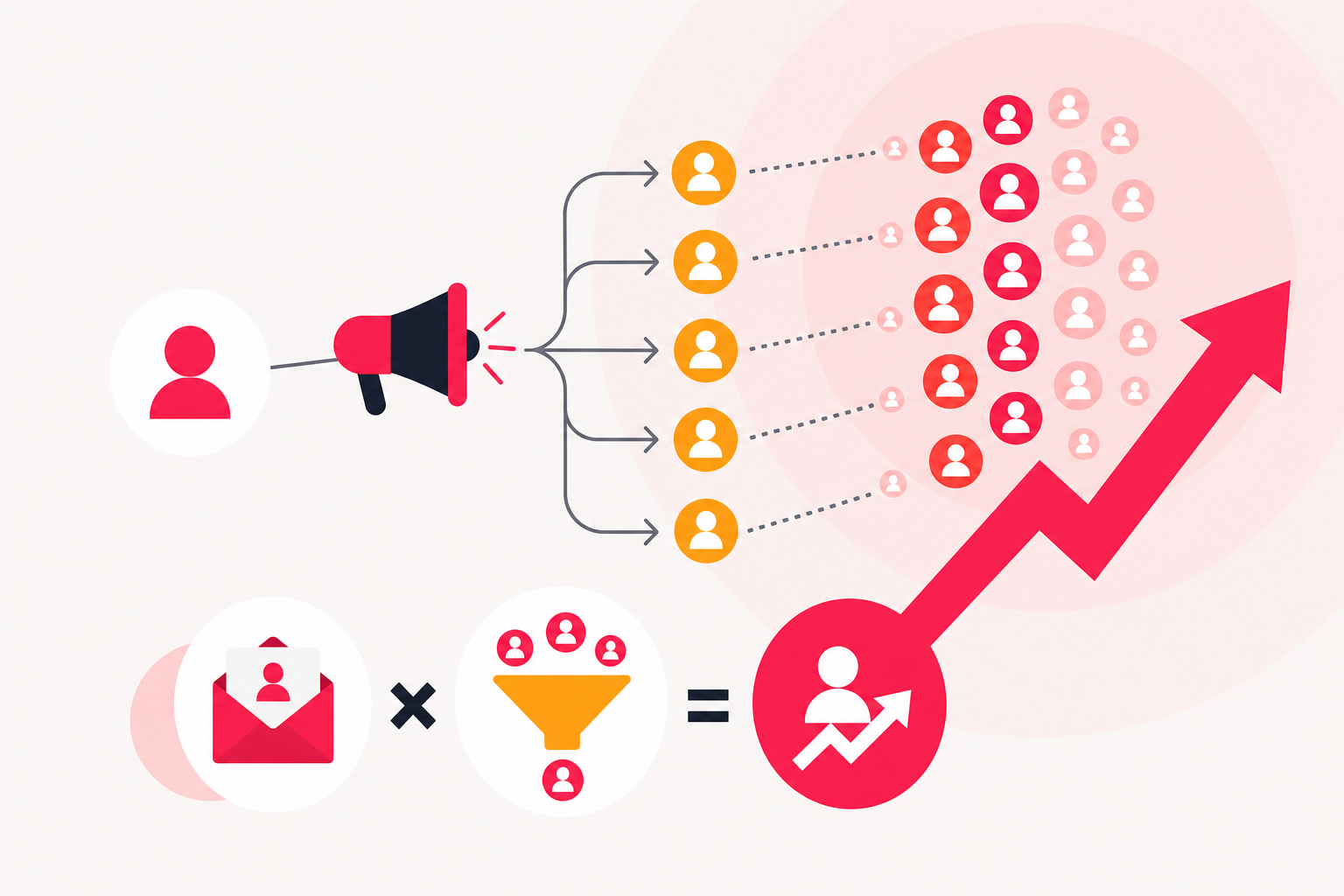
K-factor calculation gives you a single number that shows how fast your waitlist spreads on its own. The formula multiplies the average number of invites each signup sends by the rate at which those invites convert to active users. A result above 1 means the list grows without any additional spend. Below 1, it still amplifies every paid channel you run.
Here's what you need to know:
- What k-factor means for waitlist growth (and what it has nothing to do with sheet-metal bending)
- The exact formula and a worked example
- A step-by-step process to measure it with your own data
- How to interpret your score and which levers raise it fastest
What Is K-Factor and Why Does It Matter for Waitlists?
K-factor, also called the viral coefficient, measures how many new users each existing user generates through referrals. This article covers the viral growth metric used in product and marketing.
For a waitlist, k-factor tells you whether your referral loop is pulling its weight. A K above 1 means each cohort of signups recruits more than one new signup on average, so the list compounds without paid spend. K equal to 1 is break-even: growth is linear. K below 1 still matters, because it acts as a multiplier on every other channel you use.
The math on that multiplier is simple: divide 1 by (1 minus K). A K of 0.5 produces a 2× multiplier, meaning every 100 paid signups effectively become 200. A K of 0.6 produces a 2.5× multiplier, and a K of 0.9 produces a 10× multiplier on paid acquisition. Those gains compound across your entire pre-launch campaign.
Tracking k-factor before launch also gives you a leading signal on product-market fit. If your referral rate is rising week over week, people find the promise of your product worth sharing. If it's flat or falling, your incentive design or messaging needs work before you spend more on acquisition.
The K-Factor Calculation Formula Explained
The k factor calculation formula is:
K = i × c
Where:
- i = average number of invites sent per user
- c = the conversion rate of those invites (share that become active users)
Both inputs are percentages or ratios, so the result is a dimensionless number. The formula looks simple, but each variable hides a measurement decision that can skew your result if you get it wrong.
Invites per user (i) is not the number of shares your best advocates send. It's the mean across your entire cohort, including every user who sent zero invites. If 100 users collectively sent 400 invites, i = 4, even if 60 of those users never shared at all.
Conversion rate (c) is the share of those invites that produced an active user, not just a click or a form submission. A signup who never confirms their email or takes a qualifying action does not count. Deduplication matters here too: if one invitee received three separate invites from three different users, that counts as one conversion, not three.
Worked example: Suppose you have a cohort of 200 waitlist signups. They sent a combined 600 invites, so i = 3. Of those 600 invites, 90 converted to active signups, so c = 90 ÷ 600 = 0.15 (15%). Your K-factor is 3 × 0.15 = 0.45.
That score is below 1, but it still means every 100 signups you acquire through paid channels generate 45 more for free. Over multiple cycles, those 45 generate another 20, and so on. According to Spynra's 2026 report, average conversion rates on waitlist invites run 10–15%, while top performers reach 25–40%. Raising your conversion rate from 15% toward the top of that range would push K meaningfully higher, increasing your amplification multiplier.
The next section walks through exactly how to pull these numbers from your own data.
How to Calculate Your Waitlist K-Factor: Step by Step
You need three things before you start: a defined cohort, a count of invites sent, and a count of active conversions from those invites. If you're using waitlist software that tracks referral links per user, most of this data is already in your dashboard. If you're tracking manually, a spreadsheet with one row per user works fine.
- Pick a cohort and a time window. Group users by the week they signed up. Choose a cohort that has been active for at least one full viral cycle, typically seven to fourteen days, so they've had a realistic chance to share and for their invites to convert.
- Count total invites sent by the cohort. Pull every referral link click or invite sent that originated from users in that cohort during the window. Include users who sent zero. Divide the total by cohort size to get i.
- Count active conversions from those invites. An active conversion is a new signup who took a qualifying action, confirmed their email, joined the queue, or met whatever threshold you set as "active." Deduplicate: one person invited by multiple cohort members counts once. Divide active conversions by total invites sent to get c [S3].
- Run the formula. Multiply i by c. The result is your K-factor for that cohort [S1].
- Interpret the result. K above 1 means the cohort is self-sustaining: each generation of signups recruits more than the last. K equal to 1 is linear growth. K below 1 still amplifies every paid channel by 1/(1−K) [S4].
- Repeat for each weekly cohort. A single number is a snapshot. Plotting K by cohort week shows you whether your loop is improving, stalling, or decaying. That trend line is more useful than any single data point.
A few things to watch: make sure your invite count excludes spam or test sends, and make sure your conversion count uses the same activity definition every week. Inconsistent definitions are the most common reason K-factor numbers look erratic when the underlying loop is actually stable.
Why Cohort-Based Measurement Gives More Accurate Results
Measuring K-factor across your entire user base produces a misleading number. Users who signed up months ago have already exhausted most of their referral activity, so averaging them with your newest cohort drags the score down and hides how well your current loop is actually performing.
The fix is to group users by signup week and calculate K separately for each cohort [S6]. A cohort from last week reflects your current incentive design, your current messaging, and your current invite flow. A cohort from six months ago reflects a version of your product that may no longer exist. Mixing them together tells you about the past, not the present.
Cohort-based measurement also surfaces viral cycle time, which is how long it takes from a user signing up to their invites converting into active users. A loop with a lower K but a two-day cycle time can grow faster than a loop with a higher K and a fourteen-day cycle time. Shortening the cycle, by reducing the steps between receiving an invite and completing signup, compounds your growth rate even when K stays constant.
For a waitlist, one week is a practical cohort window. It aligns with most email follow-up sequences and gives invitees enough time to act without letting the data age. If your viral cycle is shorter, say two to three days, you can tighten the window accordingly. The goal is to capture a complete invite-and-convert cycle for each group so the K you calculate reflects a real, closed loop rather than an incomplete one.
For a deeper look at applying this method, How Cohort Analysis Boosts Referral Campaigns walks through the mechanics in more detail.
How Do You Know If Your K-Factor Is Good?
Any K-factor above zero is adding value, but the ranges below give you a practical way to interpret your score.
According to vendor-reported data from getlaunchlist.com, most healthy waitlists land at a K-factor of 0.3–0.7, and sustained K above 1 is rare and usually temporary. That range is a useful directional benchmark, not a hard standard, since it comes from a single source rather than independent research.
Spynra's 2026 report puts the benchmark for an excellent K-factor at 1.2 or higher, with most viral products running between 1.2 and 1.5, and treats 1.2 to 1.5 as the typical range for sustained viral growth. Again, treat these as context rather than targets, since they reflect a mix of product types and growth stages.
What matters more than hitting a specific number is understanding the amplification effect at each level:
| K-Factor | Acquisition Multiplier | What It Means | |---|---|---| | 0.3 | 1.4× | Modest lift on paid channels | | 0.5 | 2.0× | Doubles paid acquisition return | | 0.6 | 2.5× | Meaningful compounding | | 0.8 | 5.0× | Strong viral assist | | 0.9 | 10.0× | Near-viral, outsized returns | | 1.0+ | Self-sustaining | List grows without paid spend |
The jump from 0.8 to 0.9 is particularly significant: it doubles the acquisition multiplier from 5× to 10×. Gains in K as you approach 1 have a disproportionate effect on total signups, so even small improvements at that range are worth pursuing aggressively.
The next section covers the specific levers that move each input.
How to Improve Your K-Factor: Increase Invites or Conversion Rate
Your K-factor has exactly two inputs: invites per user (i) and conversion rate (c). Every tactic for improving K maps to one of them.
To increase invites per user, reduce sharing friction:
- Place the referral prompt immediately after signup, when motivation is highest, not buried in a later email
- Offer a pre-written share message for email, text, and social so users don't have to compose anything
- Show users their current queue position and the reward they'll earn by sharing, so the incentive is visible at the moment they decide whether to act
- Send a reminder at day three and day seven to users who signed up but haven't shared yet
- Make the referral link easy to copy on mobile, since most shares happen on phones
To increase invite conversion rate, sharpen the offer:
- Write your invite landing page headline around the specific benefit the invitee gets, not a generic "join the waitlist" message
- Show social proof on the invite landing page: total signups, logos, or a one-line quote from an early user
- Reduce form fields to the minimum, typically just an email address, to lower drop-off between click and active signup
- Match the visual design of the invite link to the referrer's experience so the page feels familiar, not generic
According to Spynra's 2026 report, average conversion rates on waitlist invites run 10–15%, while top performers reach 25–40%. Moving from the lower end of that range toward the top raises your K-factor substantially without changing how many invites your users send.
Test one variable at a time. Change the incentive copy on the referral prompt, measure for one cohort week, then move to the landing page headline. Changing both at once makes it impossible to know which one drove the shift.
The next section covers how dedicated waitlist software handles the tracking and referral mechanics automatically, so you can focus on optimizing these inputs rather than building the infrastructure to measure them.
Running a Viral Waitlist: When Software Does the Tracking for You
Measuring K-factor manually is possible, but it creates real overhead. You need to assign a unique referral link to every signup, log every invite sent, match conversions back to the right referral source, deduplicate invitees who were invited by multiple users, and recalculate cohort scores each week. That's a spreadsheet with dozens of moving parts, and one data entry error skews every number downstream.
Dedicated waitlist software removes most of that work. Prefinery is a pre-launch campaign tool that automatically assigns each new signup a unique referral link, tracks every invite sent from that link, and records which invites converted to active signups. You set up a branded signup form, configure your reward rules, and the referral loop runs and logs itself. The analytics dashboard shows you invite counts and conversion data by user, so the inputs for your K-factor calculation are already separated and ready to use.
Prefinery is built specifically for pre-launch campaigns, so the reward mechanics center on queue position and early-access incentives. The reward structure you choose affects both inputs in your K-factor: a queue-position reward tends to increase invites sent, while a clearer incentive on the invite landing page tends to increase conversion rate.
Viral waitlist software removes the tracking overhead so you can focus on the two levers that move K: invites sent and conversion rate.
Pricing starts at $49 per month for the Lite plan, with Essentials at $249 per month and Pro at $499 per month.
Prices and plan limits verified as of October 2026.
FAQs
What is viral cycle time and why does it matter for K-factor?
Viral cycle time is how long it takes from a user signing up to their invites converting into active signups. A shorter cycle means each generation of referrals completes faster, so your list compounds more quickly even if K stays the same. A loop with a lower K and a two-day cycle can outgrow a loop with a higher K and a two-week cycle. Reducing the steps between receiving an invite and completing signup shortens the cycle.
What does a k-factor above 1 mean in practice?
A K-factor above 1 means each cohort of signups recruits more new signups than it contains. The list grows without any additional paid spend, and each generation is larger than the last. In practice, sustained K above 1 is rare and usually temporary, but even a brief period of K above 1 can produce a significant spike in total signups if your viral cycle time is short.
Can K-factor be negative?
No. K-factor is the product of two non-negative numbers: invites sent per user and conversion rate. The lowest it can go is zero, which would mean either no users are sending invites or none of those invites are converting. A K of zero means your referral loop is not contributing anything to growth, but it cannot subtract from it.
How often should you recalculate your waitlist K-factor?
Recalculate once per week, aligned with your cohort window. Each new weekly cohort gives you a fresh read on how your current incentive design and invite flow are performing. Calculating less frequently makes it harder to connect a change you made, such as a new reward structure or a revised landing page headline, to a shift in K. Weekly recalculation keeps the feedback loop tight enough to act on.
Is a K-factor of 0.5 worth optimizing for?
Yes. A K of 0.5 produces a 2× multiplier on every paid acquisition channel you run, turning 100 paid signups into 200 total. That multiplier applies to your entire pre-launch budget, so even modest gains in invite rate or conversion rate produce meaningful changes in total list size.
Conclusion
K-factor gives you a precise, repeatable way to measure whether your waitlist referral loop is working. Calculate it by dividing total invites sent by cohort size to get i, dividing active conversions by total invites to get c, then multiplying the two. Track it weekly by cohort so you can see whether your loop is improving or stalling, and use the 1/(1−K) multiplier to understand what your current score is worth in amplification terms.
The most useful next step is to pull last week's cohort data and run the numbers for the first time. If you don't yet have referral tracking in place, check whether your current signup setup assigns unique links per user and logs conversions back to a source. That data is the foundation everything else depends on.