
Waitlist Management: How to Track and Nurture Signups
Waitlist management done right turns pre-launch signups into paying customers. Learn how to track, segment, and nurture your list from day one.

Justin Britten
- What Waitlist Management Actually Means
- Capturing Signups the Right Way
- Organizing Your Waitlist Data
- Prioritizing and Segmenting Your Waitlist
- Communicating With People While They Wait
- Tracking What's Actually Working
- Automating vs. Managing Manually
- Cleaning and Sunsetting Stale Records
- From Waitlist to Launch Day
- Frequently Asked Questions
Good waitlist management is the difference between a launch day that sells out in hours and one where half your signups have already moved on. If you've collected hundreds or thousands of emails before your product ships, how you track, segment, and communicate with those people determines how many of them actually convert when the moment arrives.
This guide covers the full lifecycle: capturing signups cleanly, organizing the data so you can act on it, keeping people engaged while they wait, and knowing what to automate versus handle yourself.
What Waitlist Management Actually Means
A waitlist is a list of people who want access to something that isn't available yet. Managing it means more than storing emails in a spreadsheet. It means knowing where each person came from, how engaged they are, what they've done since signing up, and what it will take to convert them when you open the doors.
For pre-launch startups, the stakes are real. You've spent weeks or months building demand. Poor management means that demand evaporates before you can act on it.
Capturing Signups the Right Way
The quality of your waitlist starts at the signup form. Ask for too little and you have nothing to work with. Ask for too much and you kill conversion.
For most pre-launch campaigns, the sweet spot is name, email, and one qualifying question — their role, company size, or how they heard about you. That single extra field gives you the segmentation data you need without adding meaningful friction.
A few things to get right at the capture stage:
- Source attribution. Know whether each signup came from a tweet, a Product Hunt post, a newsletter mention, or organic search. UTM parameters on your signup form URL handle this automatically if your tool passes them through.
- Confirmation messaging. Send an immediate confirmation email. It sets expectations, reduces anxiety, and is your first real opportunity to remind them why they signed up.
- Consent language. Be clear about what you'll send and how often. This isn't just good practice — it protects deliverability when you eventually email a large list.
Organizing Your Waitlist Data
Once signups start flowing, you need a structure that lets you act on the data quickly. Whether you're using a dedicated platform or a CRM, the fields that matter most are:
- Signup date — for calculating how long someone has been waiting
- Referral source — organic, paid, referred by another user, or direct
- Referral activity — have they shared their link? How many people have they brought in?
- Engagement signals — have they opened your emails? Clicked through?
- Status — active, dormant, invited, converted, or removed
That last field is the one most teams skip. Without a clear status taxonomy, you can't distinguish between someone who signed up yesterday and someone who signed up four months ago and hasn't opened a single email.
Defining Lifecycle Stages
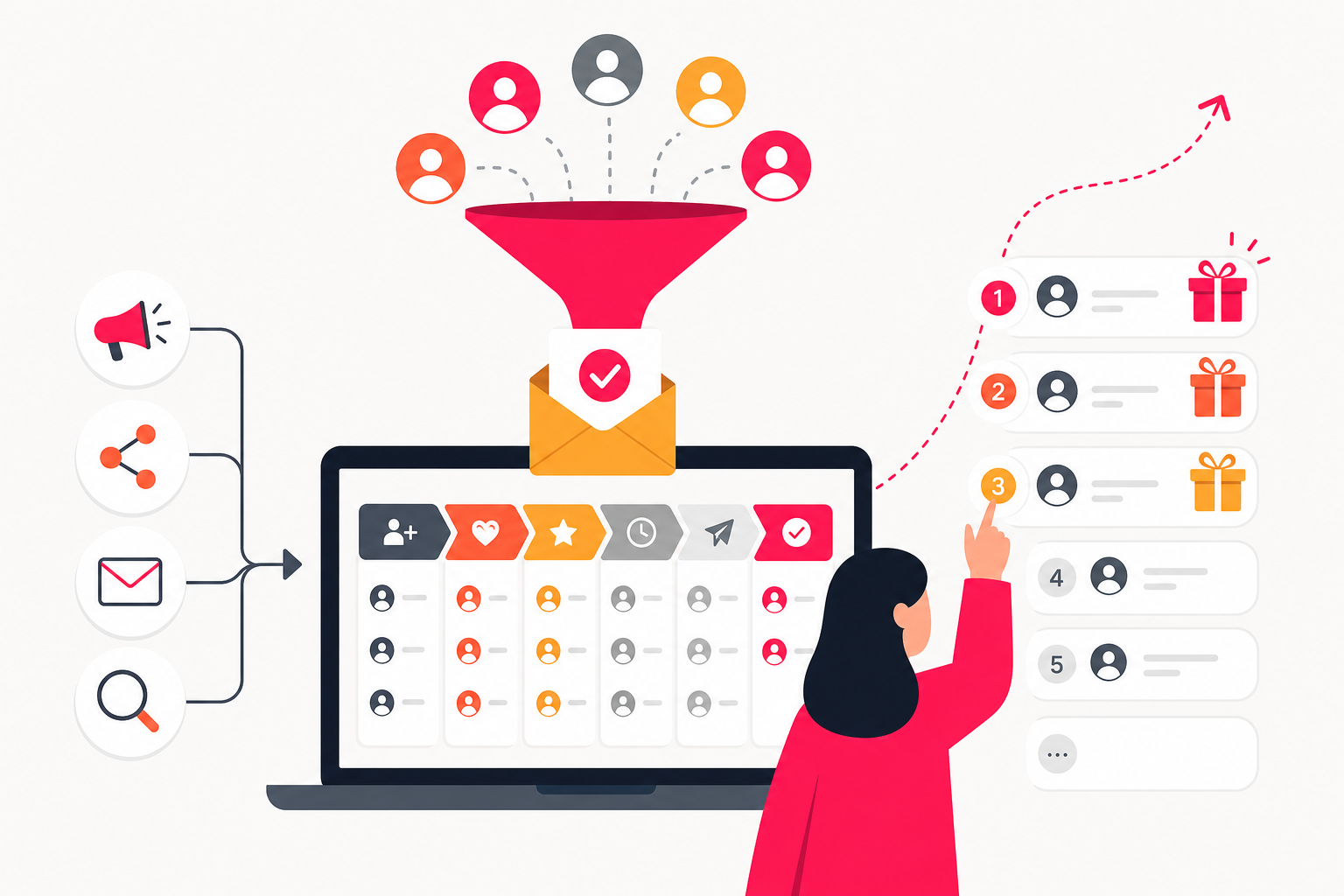
Think of your waitlist as a funnel with distinct stages:
- New — signed up, confirmation sent, no further action
- Engaged — opened emails, clicked links, or referred at least one friend
- Advocate — referred multiple friends, highly active
- Dormant — no opens or clicks in the last 30 days
- Invited — given access or moved to the top of the queue
- Converted — became a paying customer or active user
Mapping everyone to one of these stages means you can send the right message to the right person instead of blasting the entire list with the same email.
Prioritizing and Segmenting Your Waitlist
Not everyone on your waitlist deserves the same treatment — and that's not a harsh statement, it's a practical one. Someone who has referred five friends is demonstrably more invested than someone who signed up once and never engaged again.
Referral-Based Queue Position
One of the most effective prioritization models is letting users earn their way up the queue by referring others. This approach, used by companies like Robinhood and Superhuman in their early days, creates a self-reinforcing loop: the more someone wants early access, the more they share — which grows your list while rewarding your most motivated users.
Prefinery is built around exactly this mechanic. Every signup automatically receives a unique referral link. When they share it and friends join, their queue position advances. You configure the reward rules, and the system handles the rest — no engineering work required.
Segmenting by Intent
Beyond referral activity, segment by what you know about each person's intent:
- Role or job title — useful for SaaS products where different personas have different use cases
- Company size — relevant if you're launching a B2B tool with tiered pricing
- Source — people who found you through a specific channel often have different expectations and conversion rates
These segments let you personalize your nurture emails in a way that actually means something, rather than sending the same generic update to everyone.
Communicating With People While They Wait
The biggest mistake teams make with waitlists is going silent after the confirmation email. People forget why they signed up. They discover a competitor. They assume the project died.
A simple communication cadence prevents all of that.
What to Send and When
Week one: A welcome email that explains what's coming, what to expect, and how the waitlist works. If you have a referral program, this is where you remind them of their link and what they can earn by sharing it.
Ongoing: Product updates, behind-the-scenes content, or early previews. These don't need to be long. A short email showing a feature screenshot or explaining a decision you made keeps people warm and reinforces that the product is real and moving forward.
Milestone emails: When someone moves up the queue, reaches a new position, or earns a reward, trigger an email immediately. These messages have high open rates because they're personally relevant.
Re-engagement: For anyone who's gone dormant — no opens in 30 days — send a single re-engagement email. Give them a reason to care again: a new feature announcement, a limited-time incentive, or a reminder of where they stand in the queue. If they don't respond, suppress them from active communication so your deliverability stays clean.
Triggered Emails vs. Broadcast Emails
Triggered emails fire based on a user action or status change: confirming a signup, advancing in the queue, earning a reward. They're personal, timely, and almost always outperform broadcast emails on open and click rates.
Broadcast emails go to a segment or the full list: product updates, launch announcements, deadline reminders. Both have a place in a well-run waitlist campaign. The mistake is relying entirely on broadcasts and ignoring the triggered moments.
Tracking What's Actually Working
Good waitlist management requires measurement. The metrics that matter most for a pre-launch campaign:
- Referral rate — what percentage of signups share their link at least once
- Viral coefficient — on average, how many new signups does each referral generate
- Email engagement — open rate and click rate by segment and email type
- Dormancy rate — what percentage of your list has gone cold
- Conversion rate — when you invite people, what percentage actually activate
The referral rate and viral coefficient together tell you whether your waitlist is growing organically or just sitting still. A viral coefficient above 1 means the list is compounding on its own. Below 1, you need to either improve the incentive, make the referral link more visible, or both.
Prefinery's analytics dashboard surfaces referral activity and identifies your top advocates — the people bringing in the most signups. Those advocates deserve special treatment: a personal thank-you, early access, or an upgraded reward. They're doing your marketing for you.
Automating vs. Managing Manually
For lists under a few hundred people, a spreadsheet and manual emails can work. Past that point, automation isn't optional — it's the only way to maintain quality without consuming your entire week.
Worth automating:
- Referral link assignment at signup
- Queue position updates when a referral joins
- Triggered emails at key lifecycle moments
- Status updates when someone goes dormant or converts
- Webhook notifications to your CRM or analytics stack when a signup's status changes
Worth doing manually:
- Responding to direct replies from engaged users
- Personally reaching out to your top advocates
- Reviewing analytics weekly and adjusting reward rules or messaging
Prefinery handles the automation layer through no-code configuration. Zapier, Make, and Pabbly Connect integrations let you push waitlist data to your CRM, tag users in your email platform, or trigger actions in other tools. On Essentials and Pro plans, the REST API and webhooks give you direct programmatic access when you need tighter integration.
Cleaning and Sunsetting Stale Records
This step gets skipped constantly, and it costs teams their deliverability.
Before you send your launch email to the full list, clean it. Remove or suppress anyone who has been dormant for more than 60 days and didn't respond to a re-engagement email. Remove invalid addresses. Check for obvious duplicates.
A smaller, engaged list will outperform a large, stale one every time. Open rates stay high, spam complaints stay low, and your launch email actually lands in inboxes.
Set a clear policy before you start: if someone doesn't engage within X days, they move to dormant. If they don't respond to a re-engagement email within Y days, they're suppressed. Automate that logic so it runs without you having to remember.
From Waitlist to Launch Day
The final step is the handoff: moving people from "waiting" to "active." Do this in waves rather than all at once, especially if you're a small team. Invite your top advocates first — they're your most motivated users and most likely to give you useful early feedback. Then work through the rest of the list in order of engagement.
Send a clear, specific invite email. Tell them exactly what they're getting access to, what to do next, and what support looks like. A confused new user who can't figure out the first step is a churn risk from day one.
If you're running your waitlist on Prefinery, the queue position system and analytics make this handoff straightforward. You can see who's at the top, who referred the most people, and who has been waiting the longest — all in one place.
Frequently Asked Questions
What is waitlist management?
Waitlist management is the process of capturing, organizing, communicating with, and converting people who have expressed interest in a product before it's available. It includes tracking signup sources, segmenting by engagement, sending timely communications, and measuring conversion rates.
How do you keep waitlist signups engaged while they wait?
Send a mix of triggered emails — based on user actions like referrals or queue position changes — and periodic broadcast updates covering product progress and feature previews. Avoid going silent after the initial confirmation. Re-engage dormant signups with a targeted message before suppressing them.
What metrics should I track for a pre-launch waitlist?
The most important metrics are referral rate, viral coefficient, email open and click rates by segment, dormancy rate, and conversion rate when invites go out. Together, they tell you whether your list is healthy and growing or quietly stagnating.
How should I prioritize who gets access first?
The most effective approach combines referral activity with signup date. People who have actively referred others are more invested and more likely to convert. A queue position system that rewards referrals — like the one Prefinery uses — handles this automatically.
When should I automate waitlist management?
Automate as soon as your list exceeds a few hundred people, or as soon as you want triggered emails to fire in real time. Manual management doesn't scale, and delays in triggered messages — like a queue position update — reduce their impact significantly.
How do I clean a stale waitlist before launch?
Define a dormancy threshold (typically 30 to 60 days of no engagement), send one re-engagement email to dormant users, and suppress anyone who doesn't respond. Remove invalid addresses. Launch to the clean, engaged segment first for the best deliverability and conversion results.
What's the difference between a waitlist and a referral program?
A waitlist collects interest before a product launches. A referral program typically runs after launch to acquire new customers from existing ones. A viral waitlist combines both: it collects pre-launch signups and uses referral mechanics to grow the list organically before the product ships.